PostuLatte is a free and flexible tool for designing and testing
web services, using C# scripting for advanced automation. It supports
web API testing, reporting, code generation and easy integration with CI/CD. The built-in
scheduler automates service testing on a schedule.
PostuLatte also includes a role-based model, enabling efficient management of user access and permissions.
The tool is designed to accelerate development and enhance testing efficiency, providing powerful features for developers.
Get started
To start using PostuLatte with Docker, enter the following command in your terminal:
docker run -d --name PostuLatte -p <host-port>:<container-port> quadbit/postulatte:latestExample:
Docker
docker run -d --name PostuLatte -p 8080:8080 quadbit/postulatte:latestCopy
Explanation:
d: Runs the container in detached mode (background).
-name PostuLatte: Assigns a custom name to the container.
p <host-port>:<container-port>: Maps the container's port to the host's port (e.g.,8080:8080).
<image-name>: Replace with the name of the PostuLatte Docker image.
After starting the container, open your browser and navigate to
http://localhost:<host-port> (e.g., http://localhost:8080) to access PostuLatte.Extra
Since version 0.9.3, PostuLatte provides a connection to PostgreSQL.
To run it in Docker with a PostgreSQL connection, use the following
command:
docker
docker run -e PostgresConnection='<CONNECTION STRING>' --name PostuLatte -d -p 8080:8080 quadbit/postulatte:latestCopy
First launch
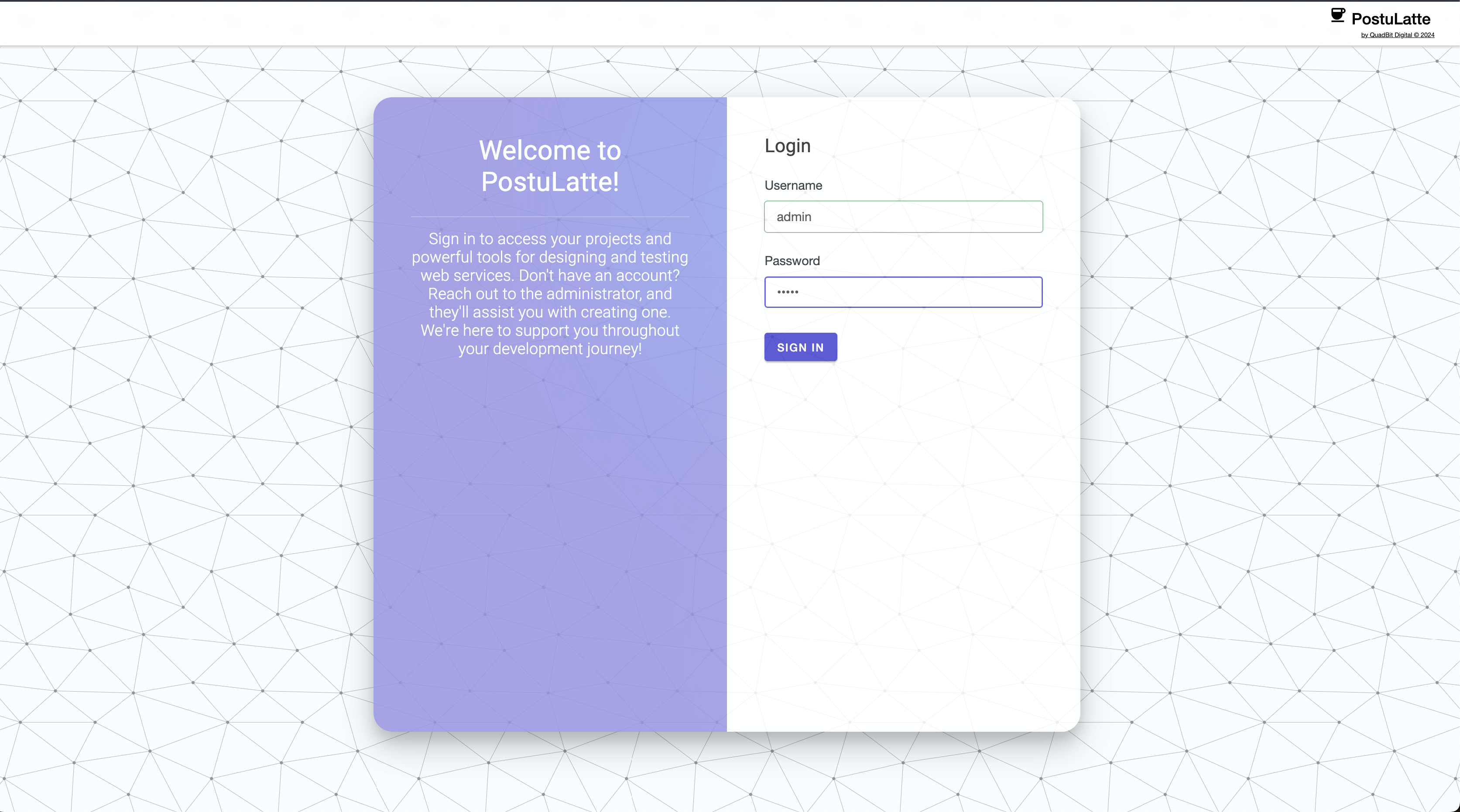
Upon the first launch of PostuLatte, the system creates a default administrator account with the username
admin and the default password admin. After logging in, it is recommended to change the password for the admin account and create a personal user account.To do this, after logging in as the
admin user, go to the "Manage elements" section.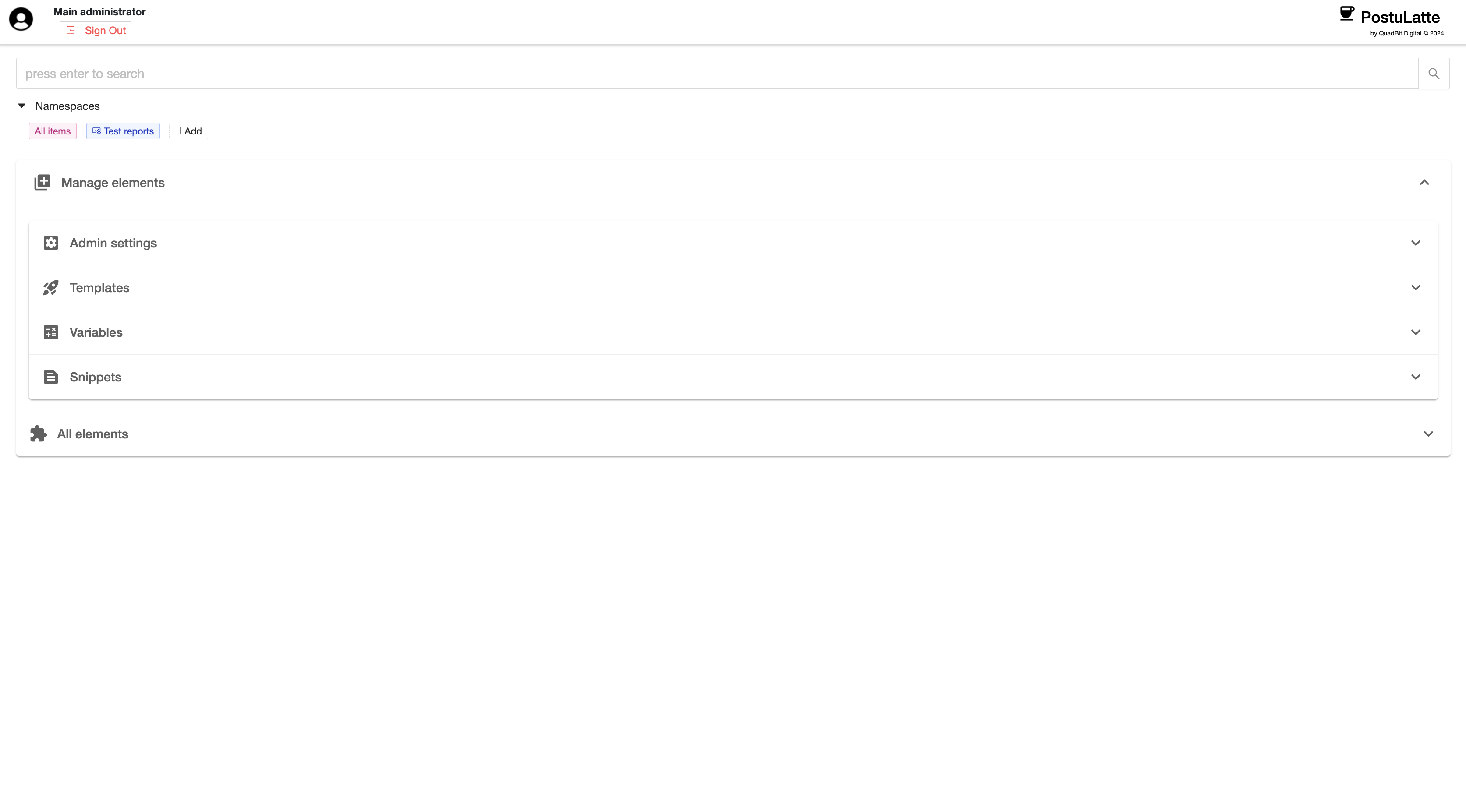
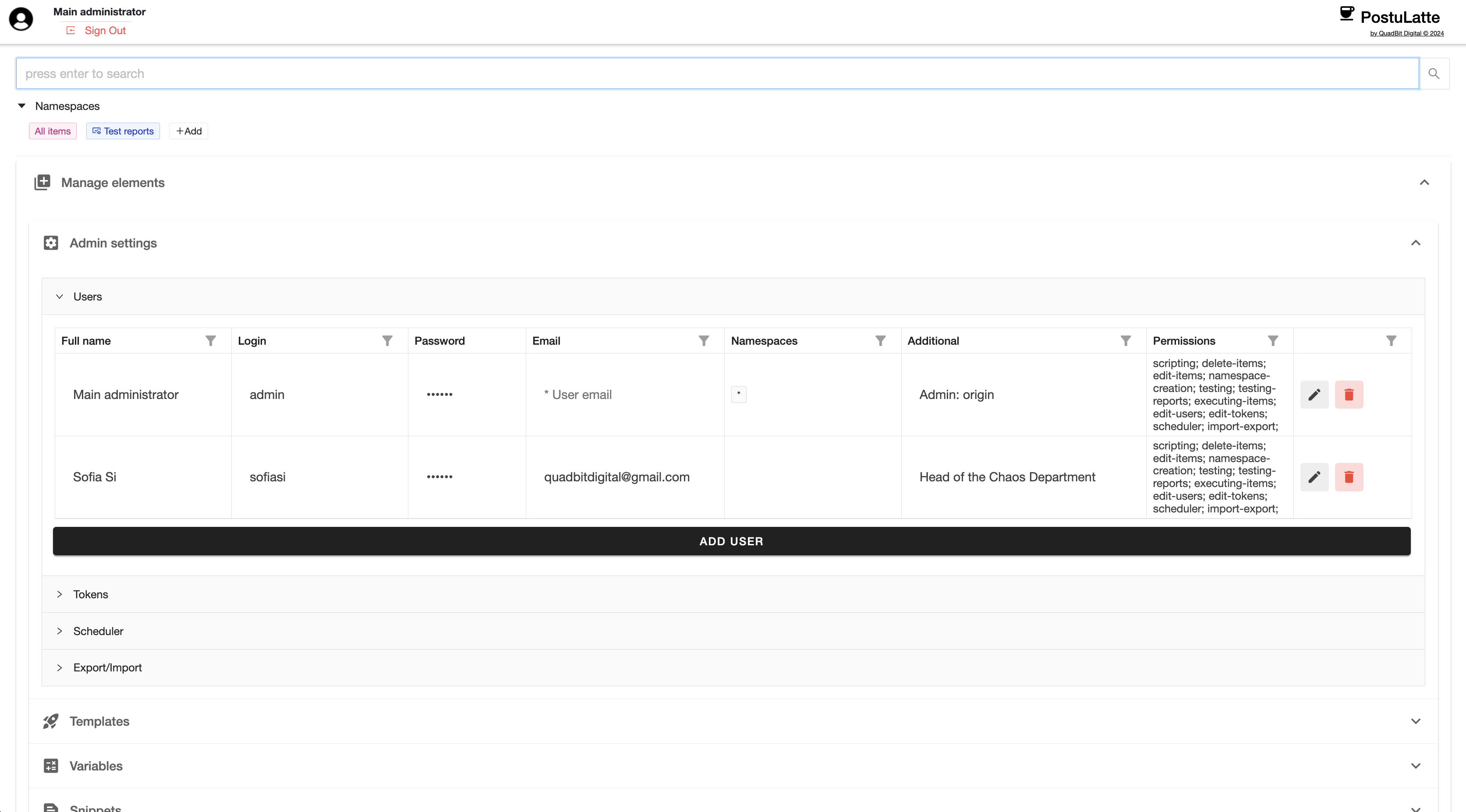
Click "Add User" and fill in the details. When creating users, pay
attention to the columns responsible for access management. These are
the "Namespaces" and "Permissions" columns.
- Namespaces - "Namespaces" are the namespaces accessible to the user. To grant access to all namespaces, simply set this field to
- Permissions - Permissions are an important setting that defines a user's access to various system functionalities.
The following permissions are supported:
- Permit deleting items – Grants the ability to delete any user data objects.
- Permit scripting – Grants access to scripting. This permission should only be assigned to trusted and experienced users.
- Permit testing – Grants the ability to manage tests.
- Permit editing – Grants the ability to edit any system objects.
- Permit creating namespaces – Grants the ability to create namespaces.
- Permit item execution – Grants the ability to execute requests, tests, and other executable elements.
- Permit testing reports – Grants access to view test reports.
- Permit edit users – Grants the ability to manage users.
- Permit edit tokens – Grants the ability to manage tokens.
- Permit access to the scheduler – Grants access to manage scheduled test runs.
- Permit access to import/export – Grants the ability to import/export elements.
The settings for the current user will be applied after logging out of the system.
Once the users are configured, you can start working with elements.
Elements are user-created content and can include the following types:
query templates, test templates, variables, and snippets.
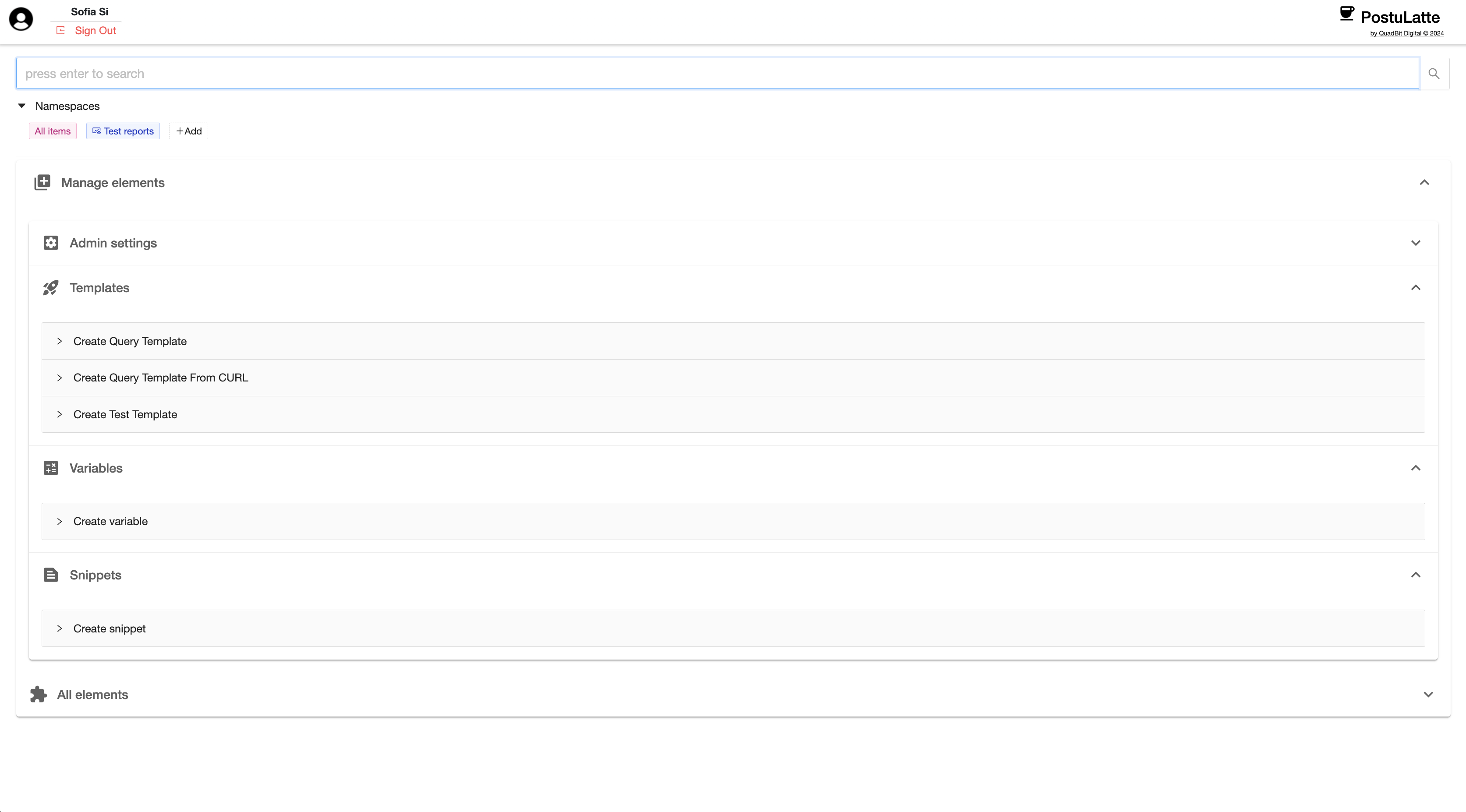
Query template is a pre-filled template for
executing an HTTP request. These templates enable you to perform HTTP
requests with pre-configured settings, use variables, apply
post-processing with scripting, visualize server responses, view
outputs, generate
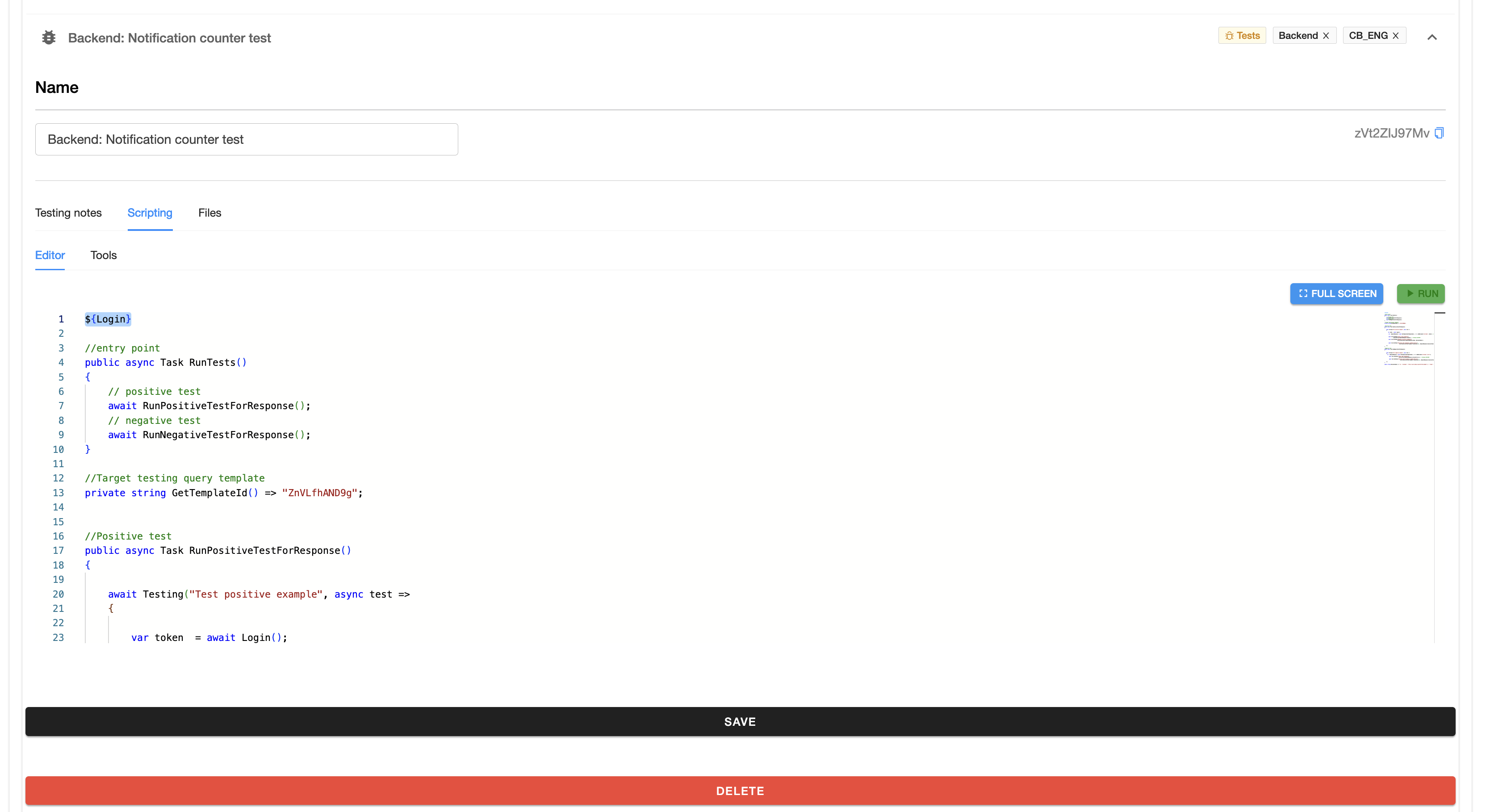
curl commands, and much more.Testing template is a template that contains only
the essentials for testing, specifically: testing notes, a scripting
tab, and files that can be used in the testing script. PostuLatte
uses C# as the scripting language, and execution takes place on the
server side. Therefore, it is crucial to grant these permissions only to
experienced, trusted personnel.
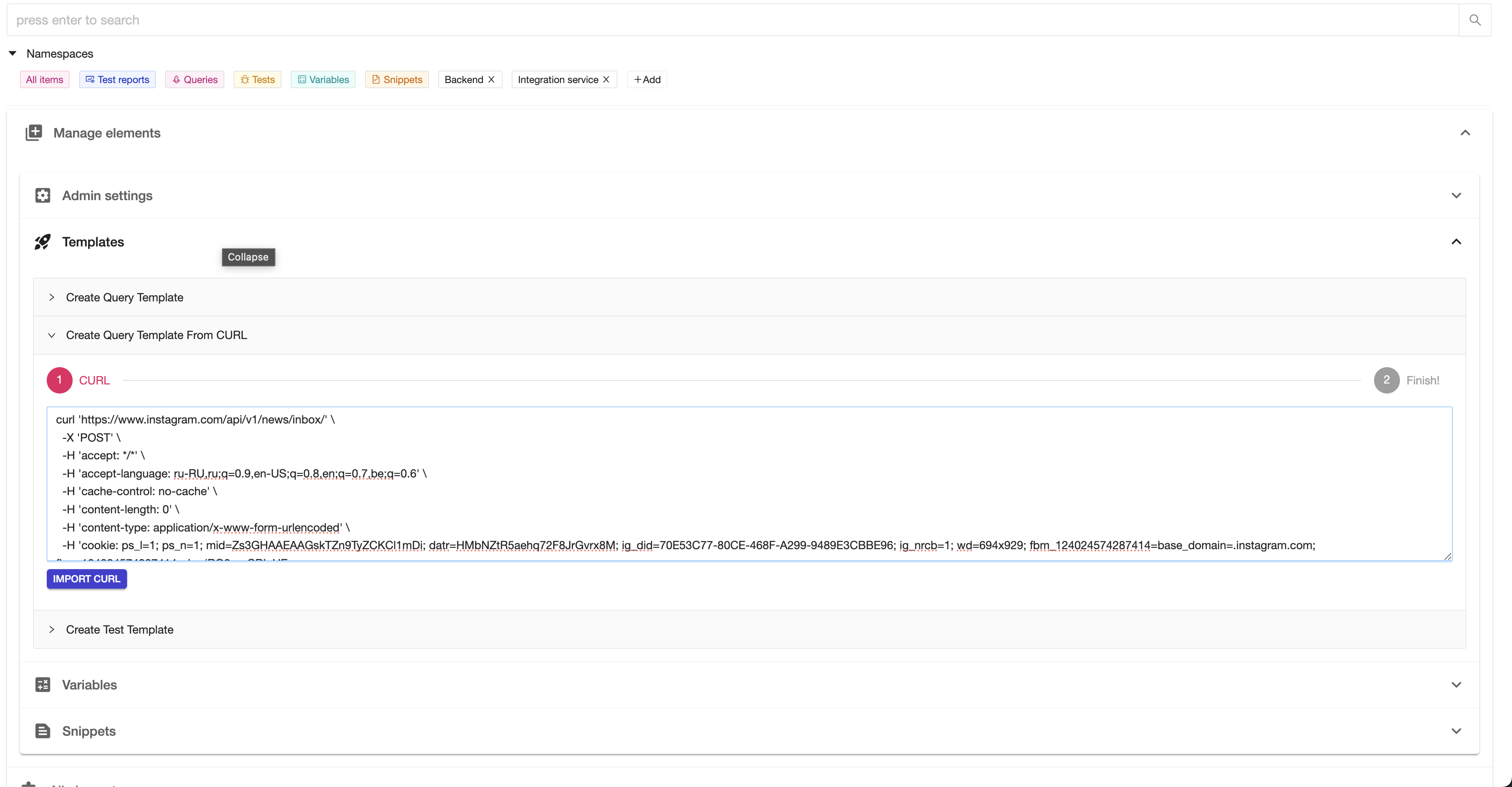
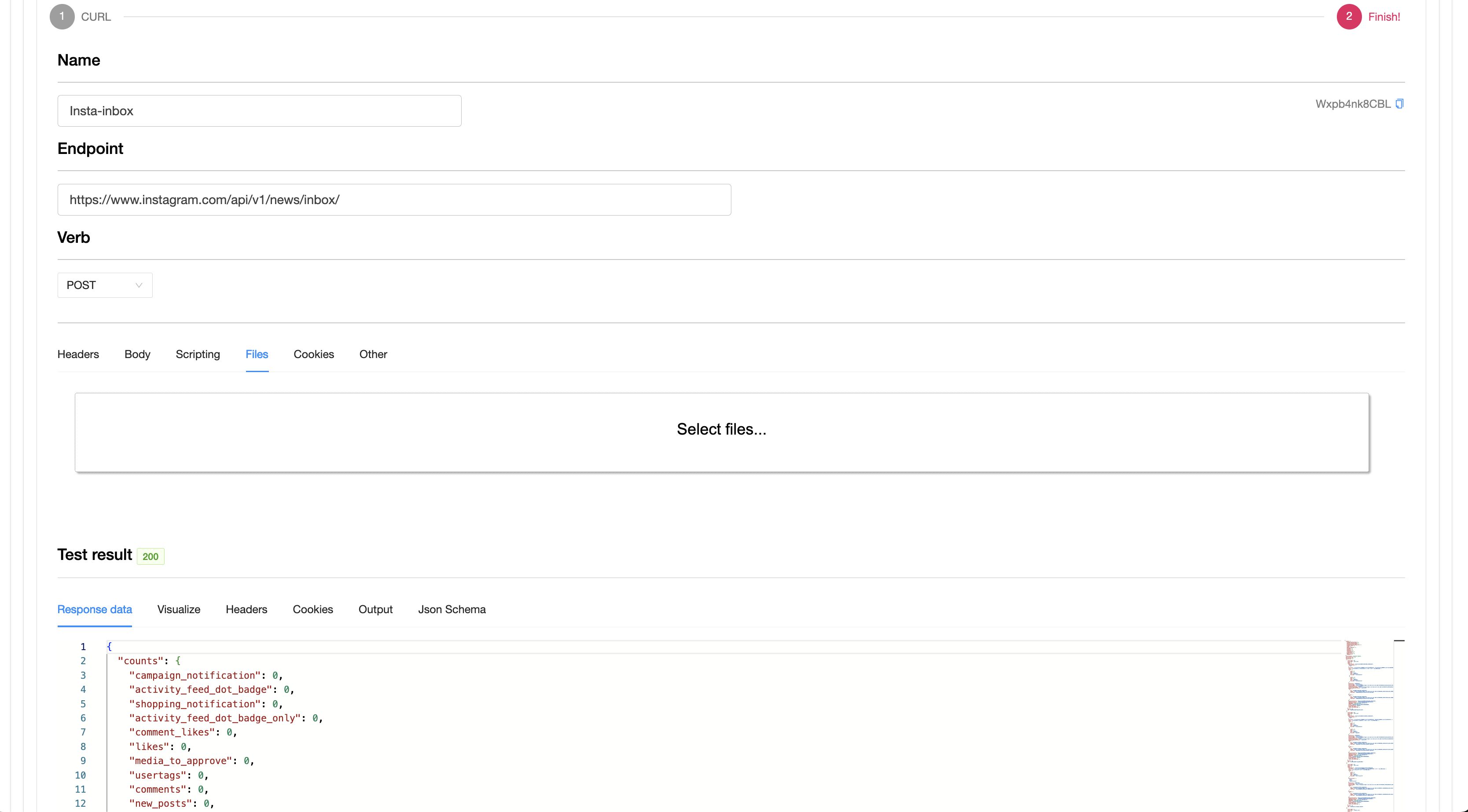
Query templates can also be created using
curl,
which is highly convenient when combined with browser development
tools. This allows you to copy requests directly and import them into
PostuLatte.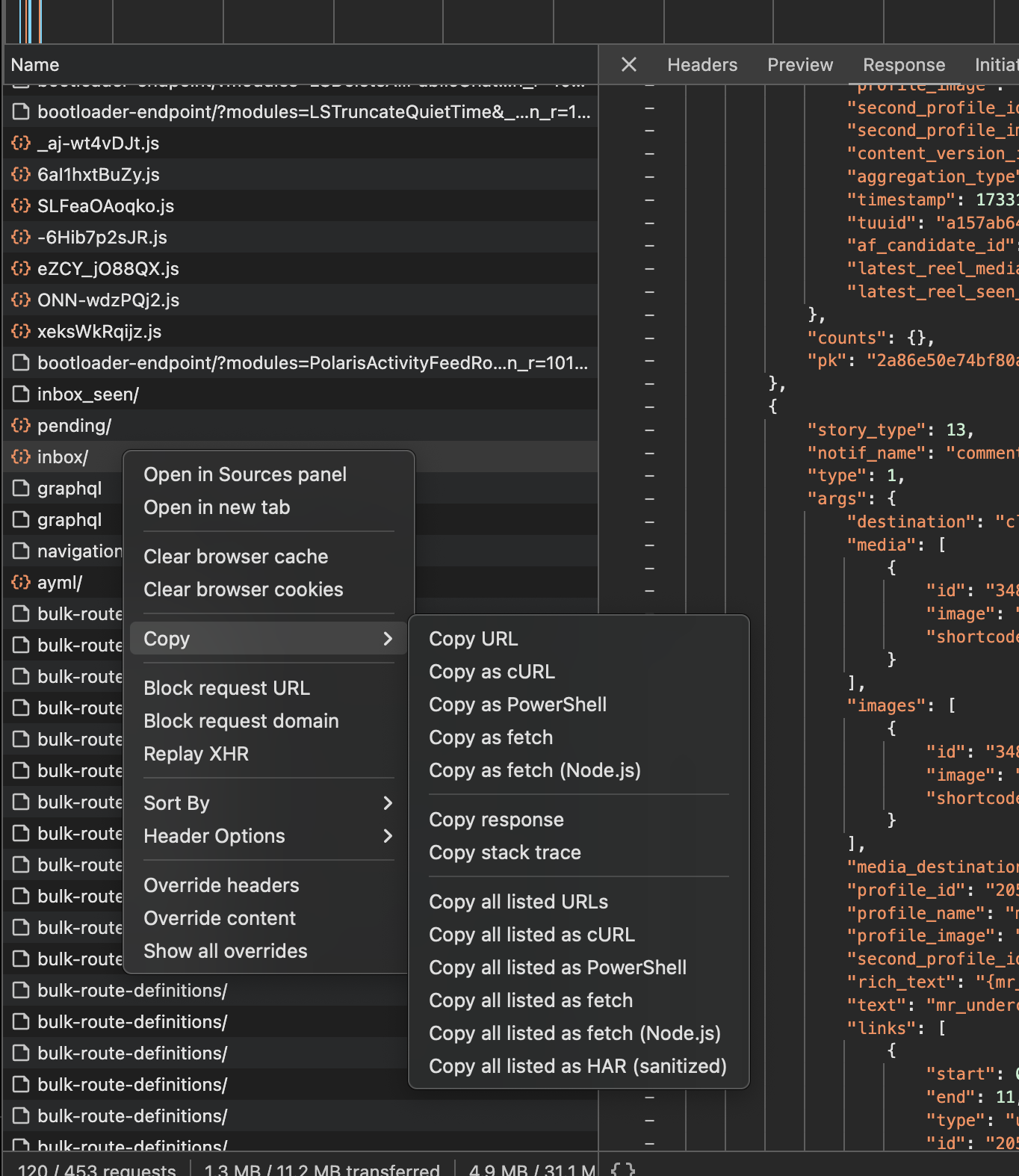
Variable are user-defined variables that are used in
templates and snippets. They can be passed into various parameters of
templates. Variables can be defined both in code and through the editor.
Variables defined in code using the
AddVariable method
override global variables defined in the editor and are only active
within the current request or test chain. Variables can have the same
name, but if they are not separated by namespaces, it can lead to
unexpected results. When variables with the same name exist in different
namespaces, the principle of polymorphism applies: the test or request
will use the value of the variable from the namespace under which the
execution is running. This is useful, for example, when running the same
automated tests on a schedule for different platforms with different
host names — host names can be set in variables with the same name but
different namespaces. Access to variables in code is done by the
variable name.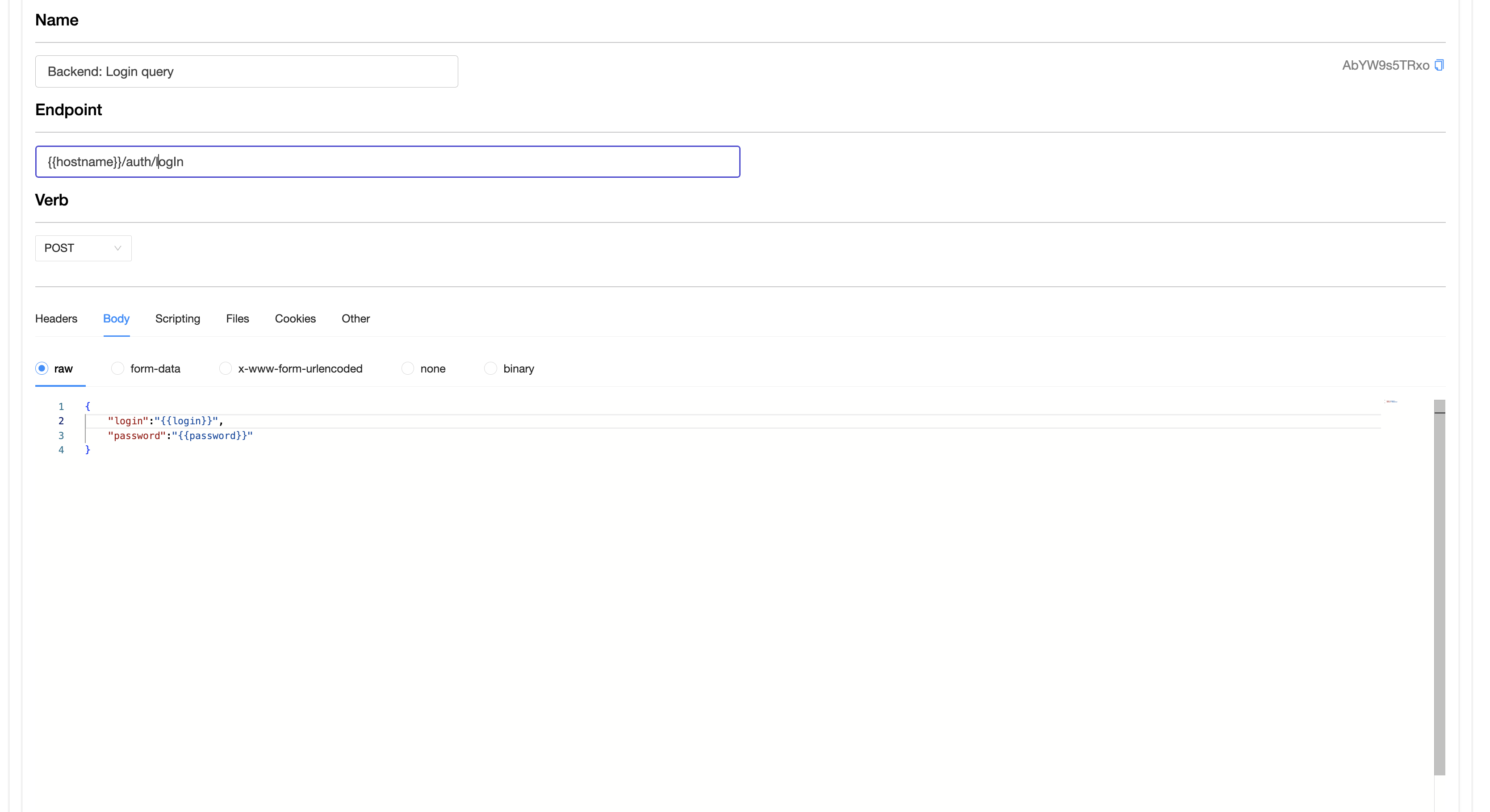
In the current version, variables work as a string type. Due to the
strict typing in C#, the value obtained from a variable must be manually
converted to the required type by the user. However, we are working on
improving the user experience with variables and will add support for
different types in the next major update.
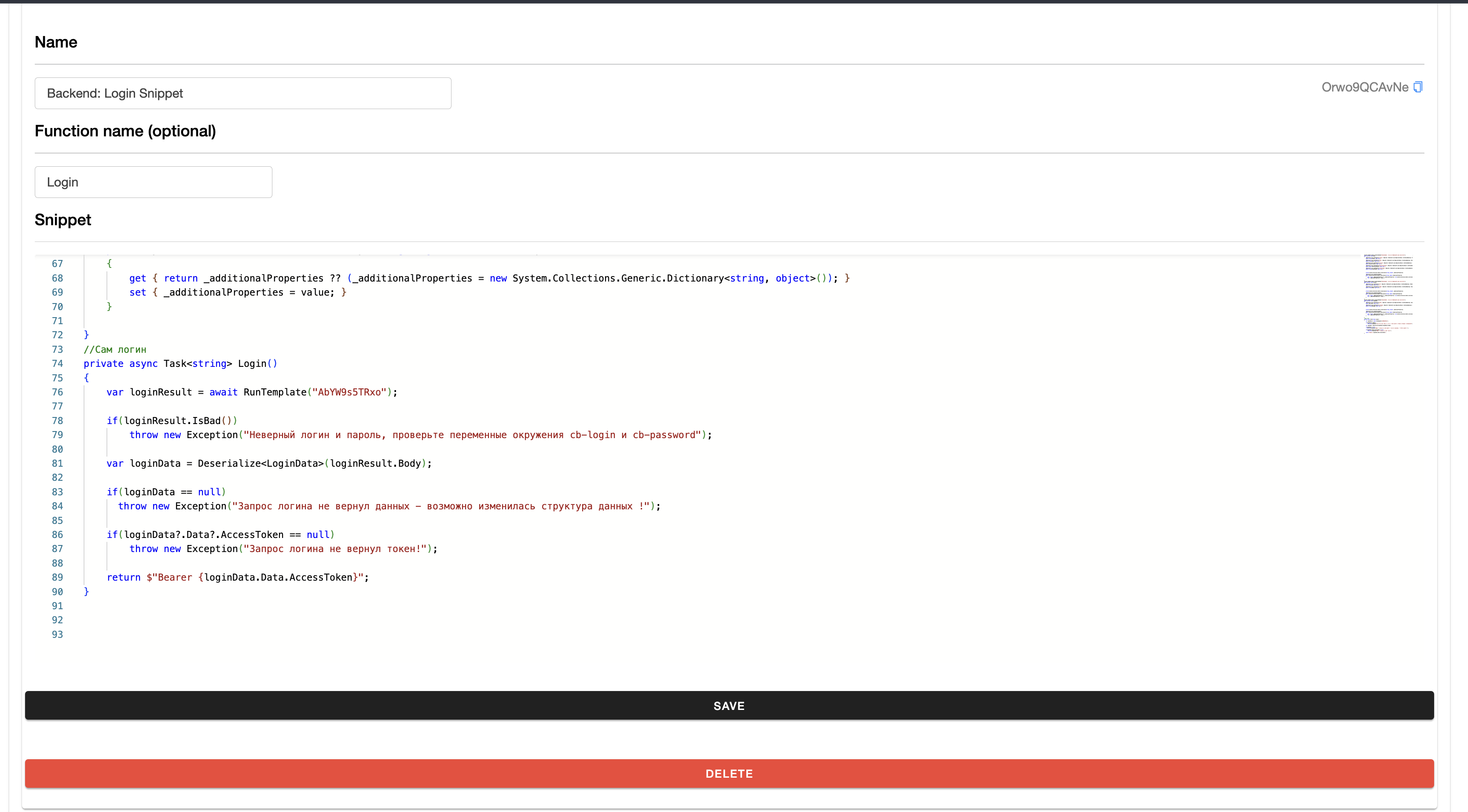
Snippet – Snippets are similar to variables in that
they allow you to retrieve a value by name from a script. However,
unlike variables, access to a snippet can also be made via its PublicID.
Additionally, snippets allow you to modify the script's logic using
directives. This enables the creation of common functions that can be
reused multiple times in tests and requests via directives (e.g.,
${Login}).Moreover, snippets can be used when you want to extract textual data,
similar to variables, but with more convenient editing options. For
example, this is useful for managing JSON and other long texts (e.g.,
Snippet("GetTestData")).